Daily Weather: Forecast&Alerts
RODRIGUEZCASTILLO FABIOLAWeather
4.6299.00 Reviews
- Version
- 1.2.1
- Installs
- 1.00M
- Age Rating
- Everyone
Screenshots
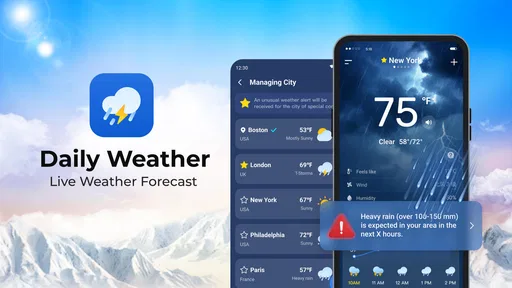
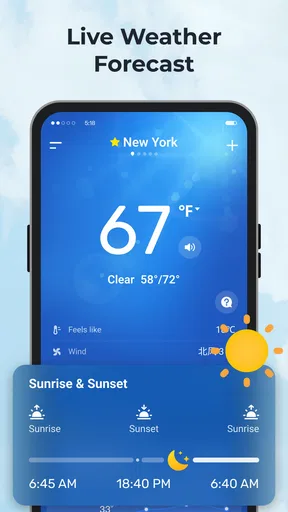
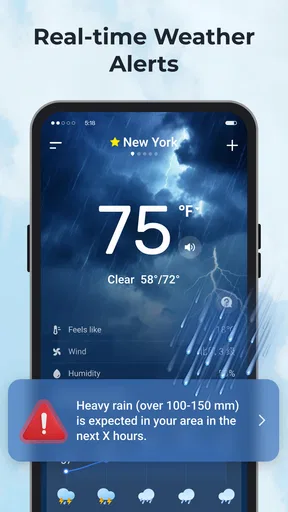
Our Review of Daily Weather: Forecast&Alerts
 Analysis by Appyee
I judge a weather app less by how much information it can fit on a screen than by whether it helps me make a sensible decision before I head out. Daily Weather: Forecast&Alerts is aimed at that everyday need: checking conditions, thinking ahead, and avoiding a preventable dash through bad weather. Its appeal is a straightforward approach rather than a promise that anyone can predict every change in the sky.
A practical fit for quick daily checks
Daily Weather is a free weather app from RODRIGUEZCASTILLO FABIOLA, and it is rated for Everyone. Its current version is 1.0.29, with Android support starting at version 7.0. Those basics make it approachable for people who want a simple forecast without treating weather as a hobby. I would start by using it to answer a few ordinary questions: do I need a layer, should I bring rain protection, and is it worth shifting an outdoor plan?
That kind of focused check is where a compact weather app can be more useful than a crowded dashboard. When I am getting ready for work, I do not want to interpret a wall of charts before deciding what to wear. A quick glance at the forecast and a closer look at the hours that matter can turn a vague guess into a more considered plan. The useful habit is to check again before leaving if the weather looks changeable, rather than treating a morning forecast as a guarantee for the entire day.
How I would use alerts without letting them take over
Weather alerts are most valuable when they help me act, not when they become background noise. I would choose the conditions that could genuinely affect my plans—such as rain before a walk or a temperature shift before a long trip—and keep the rest of my attention free. If alerts are too broad or arrive for weather I can comfortably ignore, they stop being helpful. Taking a moment to tailor them to the risks I care about is a better approach than switching everything on and then tuning it out.
An alert also works best as a prompt to reassess, rather than as a substitute for judgement. If one arrives before a commute, I can check whether changing my departure time or carrying a waterproof layer makes sense. For an outdoor event, I would use it to decide when to review the plan with other people, not assume that a notification settles the question. That small distinction makes alerts more useful and keeps a phone from making the decision on my behalf.
Reading a forecast as a plan, not a promise
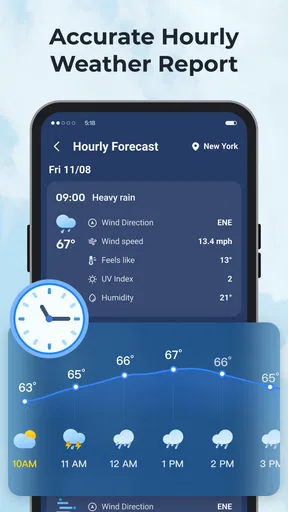
Hourly and weekly forecasts serve different purposes. I find the hourly view more relevant for choosing when to walk, cycle, or run errands; a weekly outlook is better for spotting a possible conflict with a trip or an outdoor commitment. The farther ahead I look, the more I treat the forecast as a planning guide rather than a fixed prediction. It is sensible to check again closer to the event, especially when the decision depends on rain or changing temperatures.
That is a useful way to compare Daily Weather with the default weather app already on a phone. A built-in option may be enough for a quick temperature check, while a separate app can earn its place if its forecast views and alert settings suit a person’s routine better. People who need detailed professional maps, specialist storm tracking, or multiple data layers may prefer a dedicated forecasting tool. I would choose the simpler option when the main goal is everyday preparation, and move to a more technical service when the decision has higher stakes.
Who is likely to get the most from it
I can see this working well for commuters, parents coordinating school runs, and anyone who regularly decides whether to walk, cycle, or drive. Imagine leaving home for a morning appointment: a quick check can remind you to take a coat, while a later alert may prompt you to reconsider the journey home. The benefit is not that the app removes uncertainty; it gives you a reason to check conditions before uncertainty catches you out.
It is also a reasonable choice for someone who wants basic weather context for low-stakes outdoor plans. Humidity and wind can matter when deciding whether a short bike ride will feel comfortable, and sunrise or sunset times can help when planning a walk near the edges of the day. I would use those details as practical clues, not as a substitute for local knowledge or careful preparation on a demanding route.
Where a lighter approach has limits
There is a trade-off in keeping a weather app simple: people who enjoy digging into dense charts may find a streamlined presentation less satisfying. And no forecast should be treated as perfectly certain, particularly when plans depend on a narrow window of good weather. I would check more than one source before making a costly or safety-critical decision, and I would rely on official local guidance during dangerous conditions rather than expecting a general-purpose app to cover every need.
It is also worth being realistic about what a notification can do. An alert can draw attention to a change, but it cannot make a forecast perfectly local to every street or guarantee that conditions will match what you see on screen. If the weather is changing quickly, a fresh check before setting off is a sensible habit. For people who dislike notifications, the app may be more useful as an occasional manual check than as something that keeps interrupting the day.
The app has an average rating of 4.8 from around 1.7 thousand ratings, alongside 122 written reviews, and it has passed 500 thousand installs. Those figures suggest that many users have tried it, but they do not tell me whether its approach will suit a particular routine. I would make that decision based on whether its forecast views and alerts give you useful answers without adding clutter.
Overall, I would recommend Daily Weather to someone who wants an uncomplicated way to think ahead about ordinary plans. It is best suited to quick checks and practical reminders, not to replacing specialist weather sources or careful judgement when conditions could be hazardous. If that balance matches what you need, it is worth trying; if you want deep forecasting tools, a more technical alternative is likely a better fit.
Have you ever found yourself caught in the rain without an umbrella or bundled up for a winter chill that never came? Whether you’re a weather enthusiast or someone just trying to plan for the day, the Daily Weather: Forecast&Alerts app might be just what you need to keep you prepared and in the know.
Why Daily Weather: Forecast&Alerts Stands Out
So, let’s dive into what makes Daily Weather: Forecast&Alerts a must-have on your smartphone. First off, the app is incredibly user-friendly. It doesn’t bombard you with endless data or complicated charts. Instead, it offers a clean, straightforward interface that even the most tech-challenged among us can navigate with ease.
Features That Make Life Easier
One of the things I absolutely love about this app is its real-time weather updates. Let’s face it, weather can be unpredictable, and having access to up-to-the-minute forecasts can save you from a soaking. The app provides you with hourly and weekly forecasts so you can plan your day—or week—accordingly.
Another standout feature is the customizable weather alerts. If you’re like me and hate surprises, you’ll appreciate this feature. You can set alerts for rain, snow, or extreme temperatures, ensuring you’re always prepared for whatever Mother Nature has in store.
Design and Usability
The design of the app is sleek and modern, with just the right amount of eye-catching graphics to keep things interesting without overwhelming you. The icons are intuitive, and everything feels exactly where it should be. The color scheme is easy on the eyes, too, making it pleasant to check the weather first thing in the morning.
And let's talk about speed. Nobody likes an app that lags, especially when you’re in a hurry. Fortunately, Daily Weather: Forecast&Alerts loads quickly, ensuring that you get the information you need without a hitch.
Additional Perks
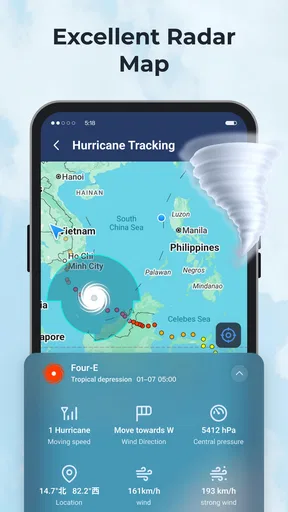
This app goes a step further by offering fun extras like sunrise and sunset times, humidity levels, and wind speeds. If you’re into outdoor activities like hiking or cycling, these details can be incredibly useful. Plus, it even has a radar feature, so you can see the weather patterns in your area in real time.
Community and Support
One of the aspects that really impressed me is the community support around the app. The developers are responsive to feedback, and updates are rolled out regularly to fix bugs and introduce new features. It’s like having your own personal meteorologist right in your pocket!
And if you ever run into any issues, the support team is just a quick email away. They’re known for their speedy responses and helpful solutions, which is a huge plus in my book.
Final Thoughts
In a world where weather can throw a wrench into your plans at any moment, having a reliable app like Daily Weather: Forecast&Alerts is a game-changer. Whether you’re planning a family picnic, a weekend getaway, or just your daily commute, this app has got you covered with accurate, real-time information.
So, if you’re tired of being caught off-guard by unexpected weather, give Daily Weather: Forecast&Alerts a try. Trust me, once you start using it, you'll wonder how you ever got by without it!
Privacy and Permissions
See what permissions an app requests and how it handles your data.
- Location
- approximate location (network-based), precise location (GPS and network-based)
- Wi-Fi connection information
- view Wi-Fi connections
- Other
- view network connections, full network access, run at startup, control vibration, prevent device from sleeping, Google Play license check
Verdict
Strengths of Daily Weather: Forecast&Alerts
- Accurate forecasts are consistently reliable.
- User-friendly interface with intuitive design.
- Customizable alerts for severe weather updates.
- Includes radar maps for visual weather tracking.
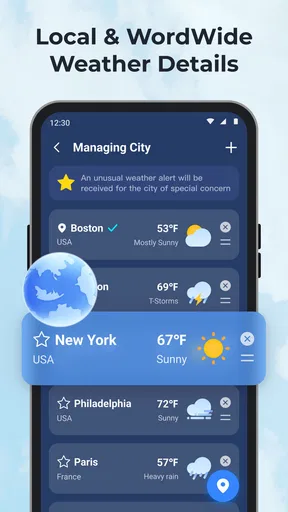
- Supports multiple locations for travel planning.
Limitations of Daily Weather: Forecast&Alerts
- Frequent ads can interrupt user experience.
- Some features require premium subscription.
- Occasional delay in loading weather data.
- Limited widget customization options.
- Battery consumption can be slightly high.
Similar Picks in This Category
View All
Weather - By Xiaomi
Xiaomi Inc.4.1

Weather & Radar Forecast
WetterOnline4.8

Weather
OneLouder Apps4.6

AccuWeather: Weather Radar
AccuWeather3.6

The Weather Channel - Radar
The Weather Channel4.6

1Weather Forecasts & Radar
OneLouder Apps4.3
Frequently Asked Questions
What features does Daily Weather: Forecast&Alerts offer?
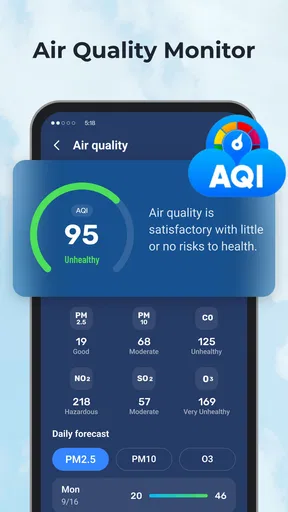
Daily Weather: Forecast&Alerts provides real-time weather updates, extended forecasts, severe weather alerts, and radar maps. Users can access detailed data on temperature, humidity, wind speed, and more. The app also offers customizable notifications to ensure you're always informed about weather changes in your area.
Is Daily Weather: Forecast&Alerts free to use?
Yes, the app is free to download and provides essential weather information without charge. However, it offers in-app purchases for premium features, such as ad-free usage, advanced radar options, and additional customization tools. These enhancements can enhance the overall experience for frequent users.
How accurate are the weather forecasts in the app?
The app uses data from reliable meteorological sources, ensuring high accuracy for weather predictions. It leverages advanced algorithms and real-time data, but like any weather service, unexpected changes in weather patterns can affect forecast precision. Regular updates help maintain its reliability.
Does the app require an internet connection?
Yes, Daily Weather: Forecast&Alerts requires an internet connection to update the weather data and send alerts. While you can view previously downloaded information offline, access to the latest updates and alerts is dependent on being connected to the internet.
Can I customize alerts for specific weather conditions?
Absolutely. The app allows users to set personalized alerts for various weather conditions, such as rain, snow, or extreme temperatures. You can tailor these notifications based on your preferences and location, ensuring you receive timely updates relevant to your needs.
